Make Market Calls with Callouts on Bitget Wallet
Product
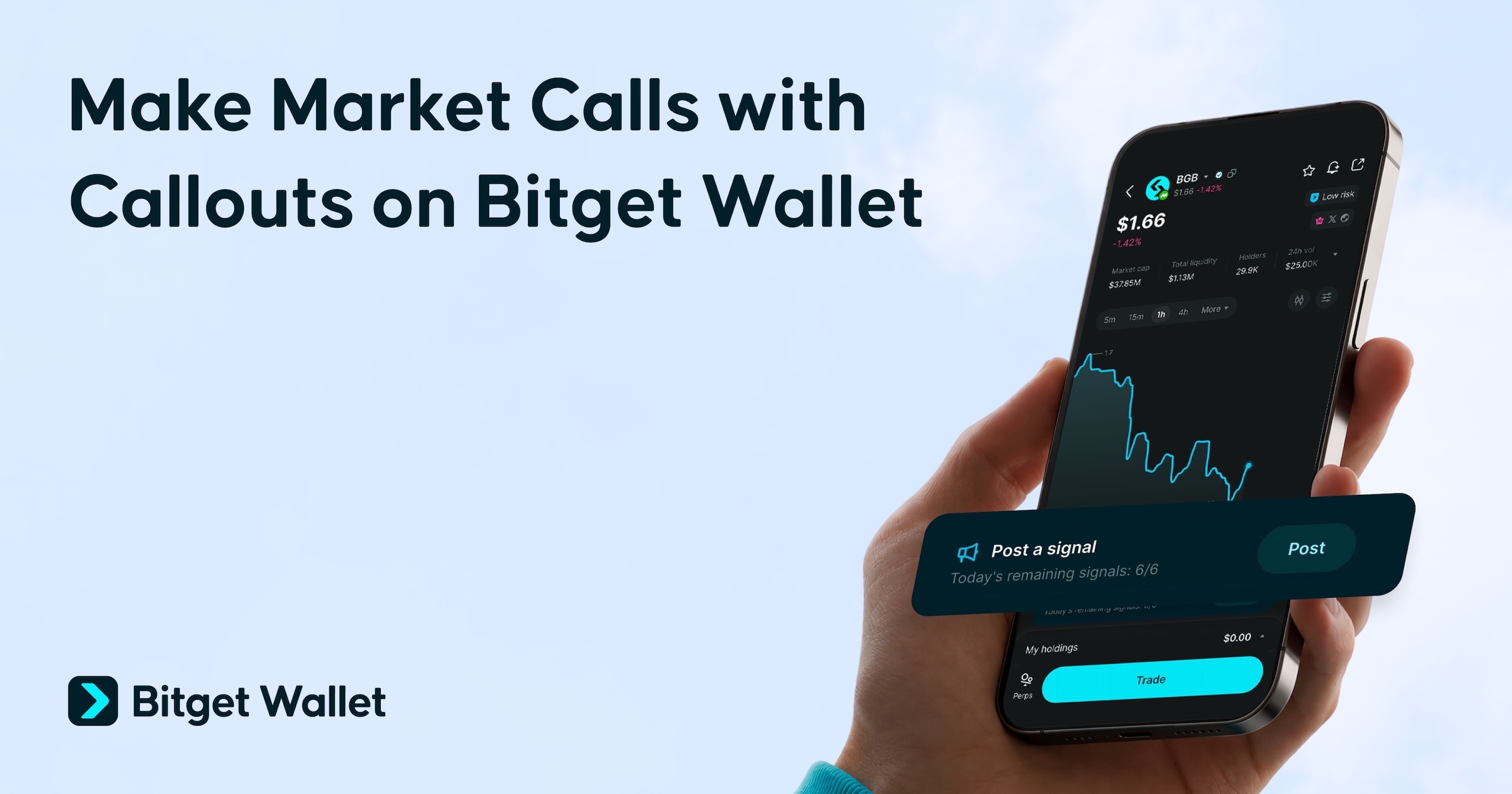
Crypto has no shortage of opinions. What it lacks is evidence. Once a token moves, everyone remembers the winning call, while the timing, starting point, and misses tend to disappear from the story. A screenshot proves very little when the market context is gone.
Callouts on Bitget Wallet put predictions on the record. They create a visible trail of who made the call, when it was made, and how the token performed. Credibility rests on results, not hindsight.
What is a callout?
A
callout is a public expression of conviction that a token will rise. It draws attention to an opportunity that the caller believes the wider market has yet to recognize.
People share callouts to surface promising tokens, exchange market views, and demonstrate their ability to identify opportunities early. Their value depends not only on whether the token rises, but also on how early and consistently the caller identifies those opportunities.
On Bitget Wallet, every callout is recorded with its publication time and the token's market cap at that moment. Callers can build a transparent performance history, while followers gain clearer context for deciding whose calls deserve their attention.
How to make callouts
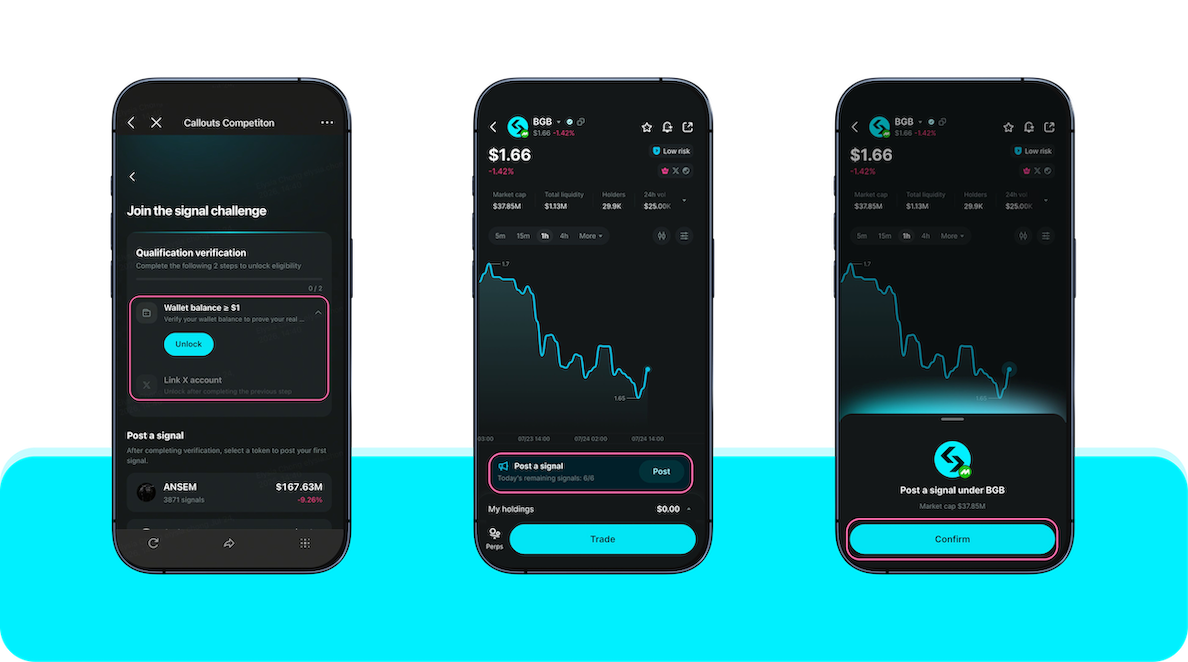
1.
Setup your wallet
-
Wallet balance: Top up your wallet and ensure a balance of at least 10 USDT.
-
Connect your X account: Link your wallet to your X account.
-
Verify your wallet: Sign to confirm your onchain wallet ownership.
2.
Select a token
-
In Bitget Wallet, open the price chart for any token you want to call. If you see a Callout tab, it is supported.
-
Callouts is available on supported onchain tokens that display the Callout tab in Bitget Wallet. These may include major assets, memecoins, and newly launched tokens.
3
.
Publish a Callout
-
Tap the Callout tab on the chart and submit your call to put it on the record.
Callouts competitions may add campaign rules for rankings or rewards. Check each campaign page for those details.
What happens after you make a callout?
After you publish a callout, Bitget Wallet records when you made the call and what the token's market cap was at that time. It then watches how far the market cap rises from that starting point. If the market cap doubles, your call shows 2x. If it goes 5 times higher, your call shows 5x. That result updates about every 15 minutes.
There is no separate win or lose screen. A call that catches a big move shows a higher number. A call that goes nowhere stays low. Either way, the result stays on your profile.
Here's what else you can do:
-
Track your performance: See how each call is performing and review your complete callout history.
-
Discover other callers: Explore calls from across the community and review each caller's history and ranking.
-
Follow strong signals: Follow callers you trust and receive notifications when they publish a new call.
-
Share your track record: Share your profile or individual callouts on X, Telegram, or Discord.
What callouts is designed for
Making a call is only the first step. Callouts is designed for what comes after: building a public history others can check, judging someone else's take with more context, and following the callers worth watching.
1. Build a track record
One good call can be luck. A visible history tells you more.
Every callout is added to your profile, before anyone knows the result. Over time, your profile shows how your calls held up across different tokens and market conditions.
2. Review calls with more context
A call tells you what someone expects. Their track record tells you how much weight to give it, so before you act on a call, it helps to know a few things about the caller.
For any call, you can check:
-
When the call was published
-
How it performed since publication
-
The caller's win rate and average multiplier
-
How their previous calls turned out
Additionally, you can also use
KOL AI Agents as another source of token discovery. They are automated models that generate callouts based on the public activity and posting style of selected KOLs on X. Their calls show up in a separate leaderboard and are generated automatically and are not manually published by the named KOL, so treat them as reference signals rather than personal recommendations or endorsements.
3. Discover and follow calls in one place
Every call sits on the chart of the token it is about, so you do not have to jump between apps to make sense of it. Inside Callouts, you can also browse the
Leaderboard and
Signals feed to find recent calls from top callers and KOL AI Agents.
Spot a call, open the chart, check the caller's track record, and decide what to do. If a caller is worth watching, follow them and you will get a notification the next time they publish a call.
Frequently asked questions
1. Is a callout the same as a trade?
No. A callout records a prediction only. It does not buy or sell the token, move funds from your wallet, or charge a network fee.
2. How is a callout's performance calculated?
Bitget Wallet measures performance from the token's market cap when the callout is published. When a callout is published, Bitget Wallet compares the highest market cap reached after publication with the starting market cap, and the result refreshes approximately every 15 minutes.
3. Can I edit or delete a callout after publishing it?
No. A published callout cannot be edited or deleted. Its direction, submission time, and starting market cap stay fixed.
4. Can I publish more than one callout on the same token?
No. Each user can only publish a callout on a token once, and up to a maximum limit of
6 times per day.
5. Why can't I see the Callout tab?
Callouts is only available on supported token charts. If the
Callout tab does not appear, the feature may not currently support that token.
6. Can KOL AI Agents trade on my behalf?
No. KOL AI Agents only publish automated calls. They cannot place trades, move funds, or manage assets in your wallet.
This article is for informational purposes only and does not constitute financial or investment advice. Always do your own research before trading.
 2026-07-28
 Stablecoin Earn Plus: Earn Up to 10% APY with Flexible Withdrawals
Recommended