Solana
When running a DApp in the Bitget Wallet App or in the Chrome browser with the Chrome Extension installed, you can access the global object window.bitkeep.solana for subsequent API calls.
Wallet Standard
connect(params?)- Connect to the wallet, returnsPromisewith accounts arraygetAccount()- Get account information, returnsPromise<string>disconnect()- Disconnect, returnsPromise<void>signMessage(message)- Sign a message (supports Uint8Array or string), returns signature result arraygetTransactionVersion(transaction)- Get transaction version, returnsstringsignTransaction(transaction)- Sign a transaction (supports Transaction, VersionedTransaction or Uint8Array), returns signed transaction arraysignAllTransactions(transactions)- Sign multiple transactions, returns signed transaction arraysignAndSendTransaction(transaction, sendOptions?)- Sign and send a transaction, returns transaction signature array
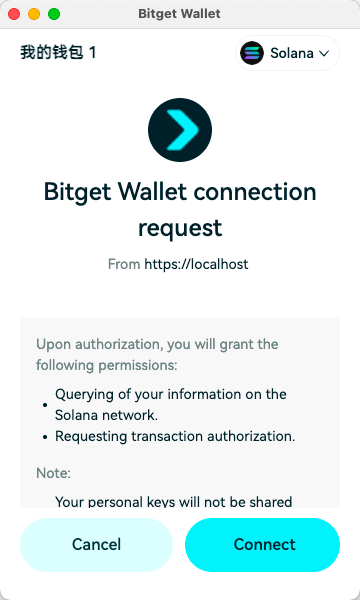
Connect to BitgetWallet
Provider
const provider = window.bitkeep.solana;Connect
Usage
try {
  // Connect to wallet, returns Wallet Standard format
  const result = await provider.connect();
  // result = { accounts: [{ address: string, publicKey: Uint8Array }] }

  // Method 1: Get address from result
  const address = result.accounts[0].address;

  // Method 2: Use provider properties
  const publicKeyString = await provider.getAccount(); // Returns base58 format public key string
  const addressFromProvider = provider.publicKey.toString(); // Once connected
} catch (error) {
  console.error('Connection error:', error);
  alert("connected error");
}
Try It
Connection Status
// Check connection status
const isConnected = provider.connected; // Returns boolean

// If connected, you can get account information
if (isConnected) {
  const publicKeyString = await provider.getAccount(); // Returns base58 format public key string
  const address = provider.publicKey.toString(); // String representation of PublicKey object
}
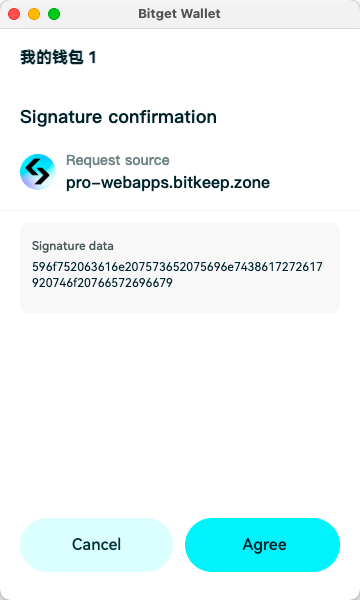
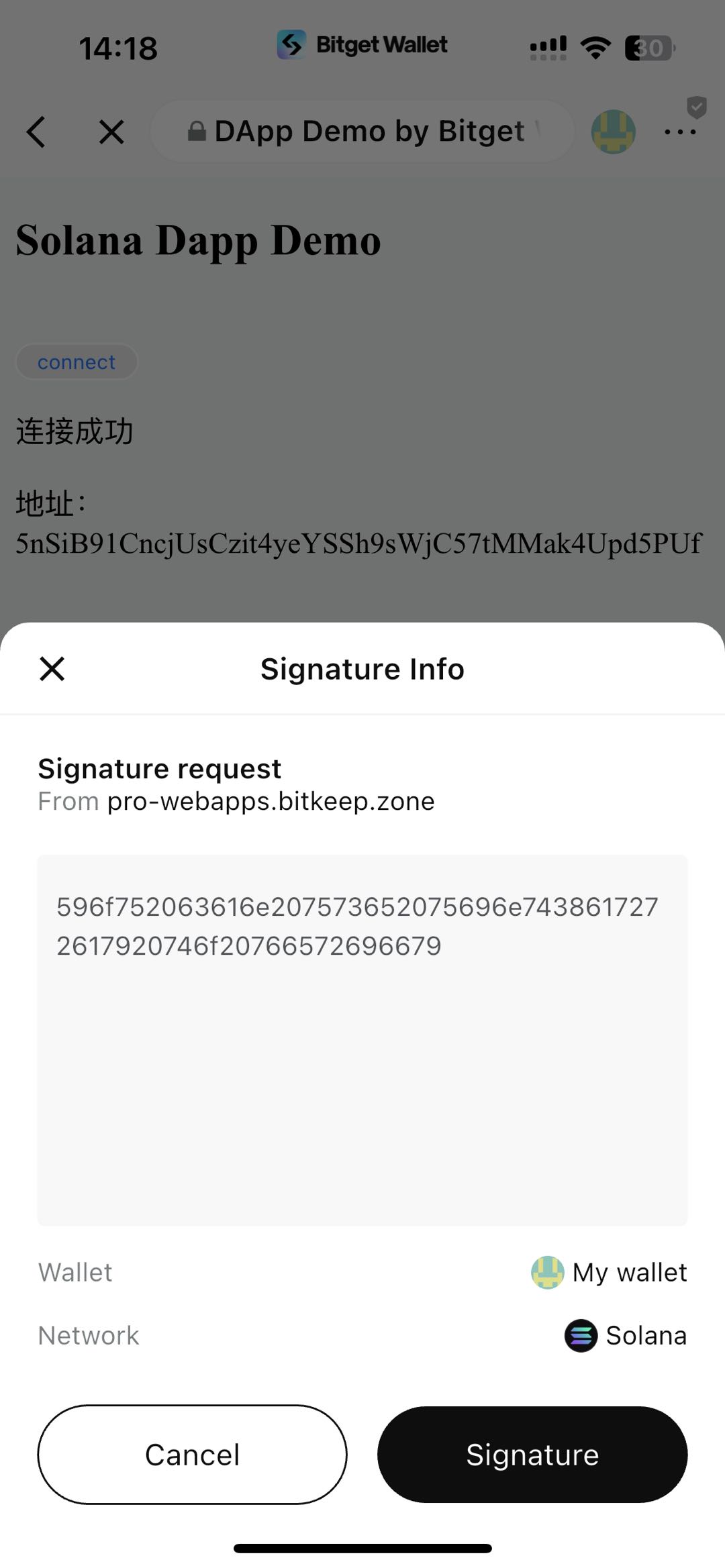
Sign Message
Usage
//string
const result1 = await provider.signMessage("020006106e655af38ff7324bbf1d4e16b06084763269b9");
// Return format: [{ signedMessage: Uint8Array, signature: Uint8Array, signatureType: 'ed25519' }]

// uint8Array
const message = `You can use uint8array to verify`;
const encodedMessage = new TextEncoder().encode(message);
const result = await provider.signMessage(encodedMessage);
// result is an array containing the signature result
const { signedMessage, signature, signatureType } = result[0];

const nacl = require("tweetnacl");
const { PublicKey } = require("@solana/web3.js");
// Verify signature
nacl.sign.detached.verify(
  signedMessage,
  signature,
  new PublicKey(address).toBytes()
);
Try It
Event listeners
Use eventemitter3
provider.on("connect", () => console.log("connected!"));Transaction
Versioned Transaction

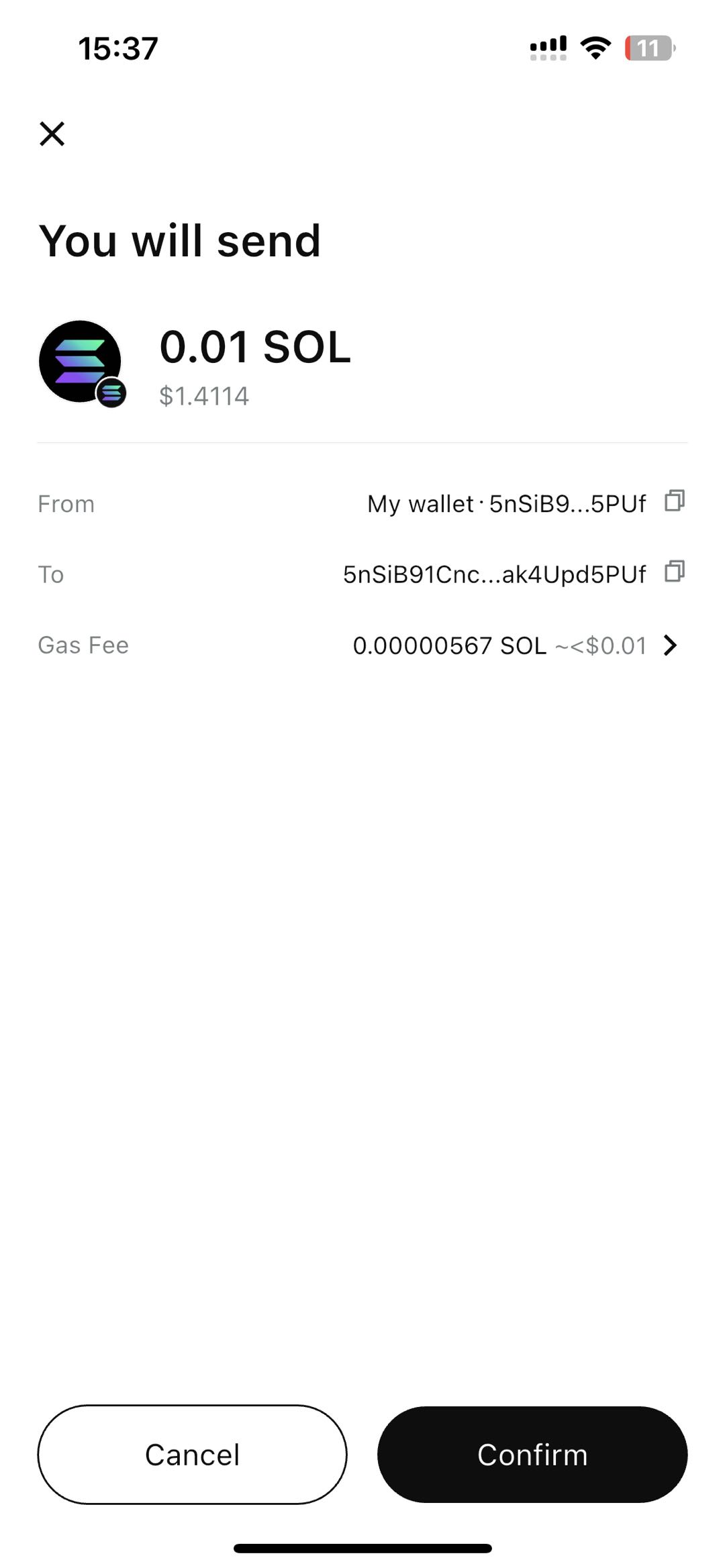
Solana introduced Versioned Transactions with v0 transactions on October 10, 2022.
The goal of v0 is to increase the maximum capacity of transactions, thereby increasing the number of accounts that can fit in a single atomic transaction. Using LUTs, developers can now build transactions containing up to 256 accounts, whereas Legacy Transactions without LUTs can only contain up to 35 accounts.
Transactions containing Address Lookup Tables (LUTS)
1. Construct a Versioned Transaction
Versioned Transactions are constructed in a very similar way to legacy transactions, with the only difference being that developers should use the VersionedTransaction class instead of the Transaction class.
The following example demonstrates how to construct a simple transfer instruction. After sending the transfer instruction, construct a transaction message in MessageV0 format using the transfer instruction, and finally, create a new VersionedTransaction to parse the v0-compatible message.
import {
  TransactionMessage,
  VersionedTransaction,
  SystemProgram,
} from "@solana/web3.js";

// create array of instructions
const instructions = [
  SystemProgram.transfer({
    fromPubkey: publicKey,
    toPubkey: publicKey,
    lamports: 10,
  }),
];

// create v0 compatible message
const messageV0 = new TransactionMessage({
  payerKey: publicKey,
  recentBlockhash: blockhash,
  instructions,
}).compileToV0Message();

// make a versioned transaction
const transactionV0 = new VersionedTransaction(messageV0);
** 2. Sign Versioned Transaction**
Versioned transactions can be signed directly using the signTransaction method. This method call will return a Promise of the signed Transaction. This is the same as the signing method for legacy transactions.
const provider = getProvider();
const network = "<NETWORK_URL>";
const connection = new Connection(network);

// Sign transaction, returns Wallet Standard format
const result = await provider.signTransaction(transactionV0);
// result is an array: [{ signedTransaction: Uint8Array }]
const { signedTransaction } = result[0];

// Send the signed transaction
const signature = await connection.sendRawTransaction(signedTransaction);
Legacy Transaction
1. Construct a Legacy Transaction
const pubKey = new PublicKey(publicKey.pubkey);
const transaction = new Transaction().add(
  SystemProgram.transfer({
    fromPubkey: publicKey,
    toPubkey: publicKey,
    lamports: 100,
  })
);
transaction.feePayer = pubKey;

const anyTransaction: any = transaction;
anyTransaction.recentBlockhash = (
  await connection.getLatestBlockhash()
).blockhash;

return transaction;
** 2. Sign Legacy Transaction**
const provider = getProvider();
const network = "<NETWORK_URL>";
const connection = new Connection(network);

// Sign transaction, returns Wallet Standard format
const result = await provider.signTransaction(transaction);
// result is an array: [{ signedTransaction: Uint8Array }]
const { signedTransaction } = result[0];

// Send the signed transaction
const signature = await connection.sendRawTransaction(signedTransaction);
3. Sign and Send Transaction
If you want to sign and send in one step, you can use the signAndSendTransaction method:
const provider = getProvider();
const network = "<NETWORK_URL>";
const connection = new Connection(network);

// Sign and send transaction
const result = await provider.signAndSendTransaction(transaction);
// result is an array: [{ signature: Uint8Array }]
const { signature } = result[0];

// signature is in Uint8Array format, can be converted to base58 string
const bs58 = require('bs58');
const signatureString = bs58.encode(signature);
console.log('Transaction signature:', signatureString);
4. Sign Multiple Transactions
const transactions = [transaction1, transaction2, transaction3];

// Sign all transactions
const results = await provider.signAllTransactions(transactions);
// results is an array: [{ signedTransaction: Uint8Array }, ...]
// Each element corresponds to a signed transaction

// Send all signed transactions
for (const { signedTransaction } of results) {
  const signature = await connection.sendRawTransaction(signedTransaction);
  console.log('Transaction signature:', signature);
}